TOMATo 路 Feature Overview

Features

Connect architecture and operations

Keep systems, relationships, target states and deployment assignments in a traceable context.

Understand dependencies in context

Explore relevant systems, relationships and ownership in focused views.

Views for concrete decisions

Organize architecture, target states and deployment assignments around the question at hand.

A shared working model for your teams

For enterprise architecture and solution design

Structure system boundaries, ownership and dependencies for architecture decisions and solution design.

  • 01Maintain systems and relationships in a configurable model.
  • 02Build target views from existing models and reconcile changes deliberately.
  • 03Trace impacts along documented relationships.

For platform and operations teams

Connect application models with concrete instances, stages, locations and recorded deployment assignments.

  • 01View components and instances as distinct but related information.
  • 02Distinguish missing assignments from unknown runtime status.
  • 03Use tables, tiles and visualizations for different questions.

For IT leadership and governance

Condense architecture information, clarify responsibility and manage visibility deliberately.

  • 01Promote shared terminology and traceable views.
  • 02Manage ownership and visibility under the applicable rules.
  • 03Move from indicators to the affected models and assignments.

MModeling

Structure and maintain growing system landscapes using tenant-specific rules.
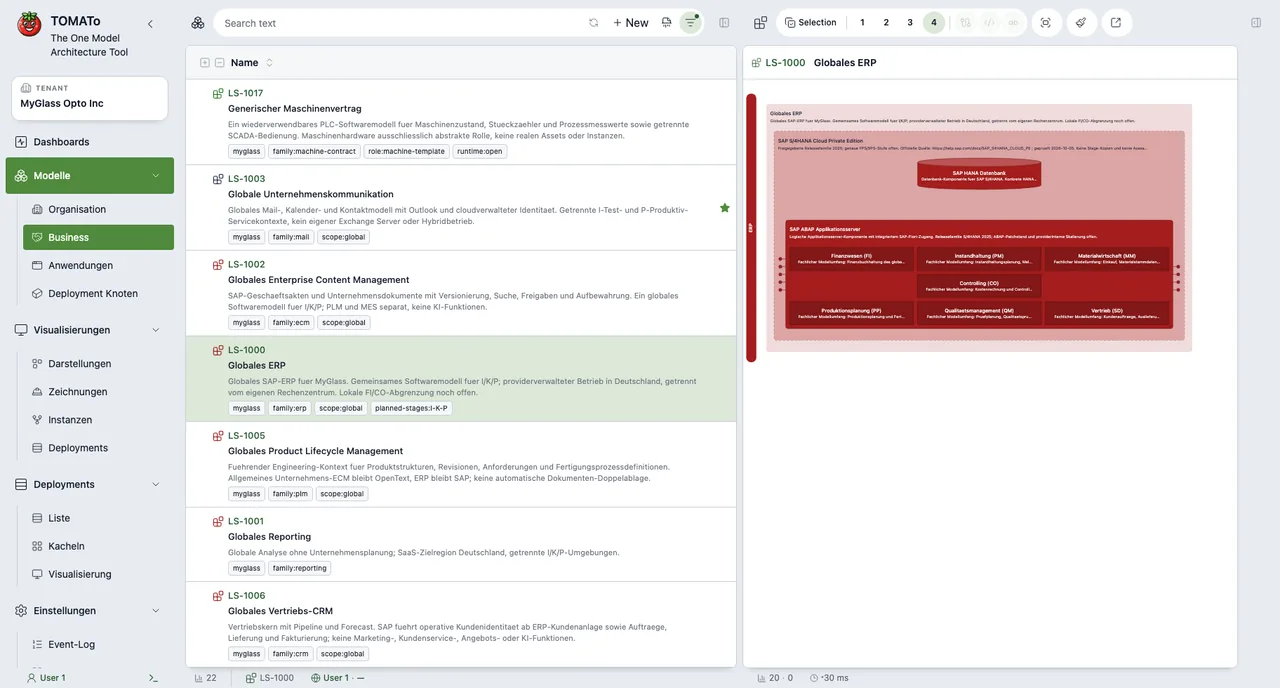
  • M1Maintain systems with type, hierarchy, status, tags and ownership.
  • M2Define and use custom fields for each configured system type.
  • M3Derive system types and hierarchies from tenant and template configuration.
  • M4Represent business and technical structures for your landscape.
Modeling 路 MyGlass 路 TOMATo
MyGlass Opto Inc 路 Modeling

RRelations

Document business and technical dependencies clearly.

  • R1Record relationships between systems with protocol and description.
  • R2Configure permitted source and target types and cardinalities per tenant.
  • R3Explore dependencies in model views and target drawings.

VViews and Visualization

Focus complex landscapes for architecture, planning and operations.
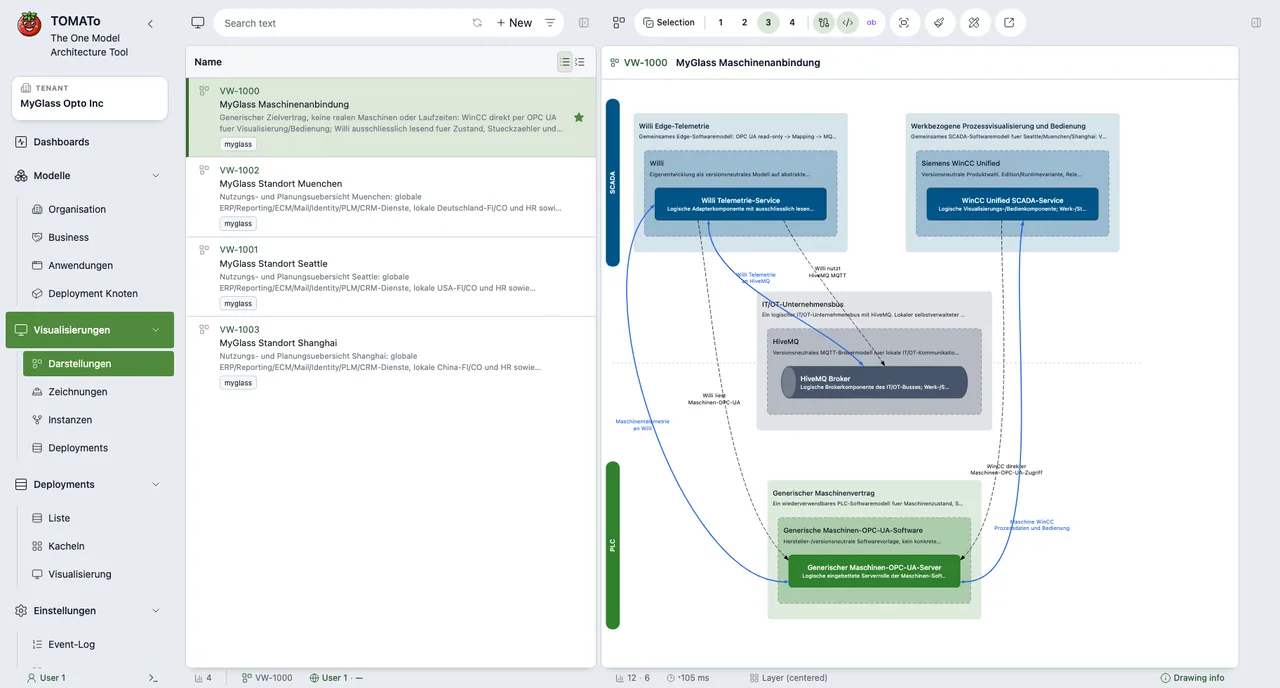
  • V1Create, share and favorite views for architecture, operations and management.
  • V2Embed views in ECM systems to make architecture information available in the working context.
  • V3Explore models in 2D and 3D and at different detail levels.
  • V4Keep model views, target drawings, instance views and deployment views distinct.
  • V5Combine automatic and manual layouts with search, filters and selection.
  • V6Keep manually arranged systems in relative positions as system details change.
  • V7Keep target drawings as a separate, editable state from the current-state model.
Views and Visualization 路 MyGlass 路 TOMATo
MyGlass Opto Inc 路 Views and Visualization

ETarget Architecture and PLM

Design target architectures independently of the current-state model, compare versioned changes and synchronize them with the current landscape deliberately.

  • E1Edit target drawings as separate working states; changes do not automatically alter the current-state model.
  • E2Trace model and drawing states with version counters and synchronization status.
  • E3Pull changes from the current-state model into a drawing or push drawing changes into the model deliberately.
  • E4Review changes before transfer and resolve conflicts per system or relationship in favor of either the model or drawing.
  • E5Use bills of materials to review the contents of a target drawing.

DDashboards and Control

Summarize inventory and open quality signals while keeping their underlying objects in reach.
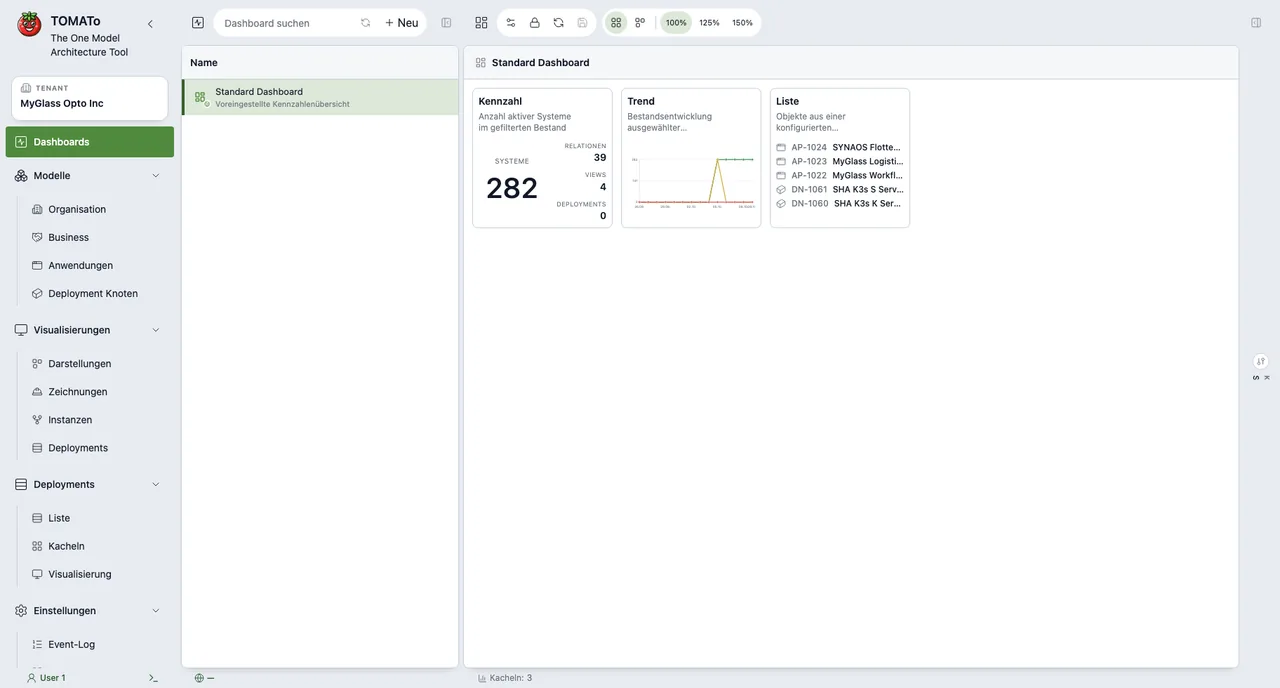
  • D1Combine inventory, distributions, quality signals, lists and visualizations.
  • D2Review models, views, instances and deployments from a dashboard.
  • D3Filter tiles by tenant-configured types, classifications, tags and ownership.
  • D4Navigate from indicators to the affected models, views or deployments.
  • D5Provide private, shared and read-only dashboards for teams and audiences.
Dashboards and Control 路 MyGlass 路 TOMATo
MyGlass Opto Inc 路 Dashboards and Control

IInstances and Deployments

Keep application models, concrete instances and deployment assignments as separate dimensions.
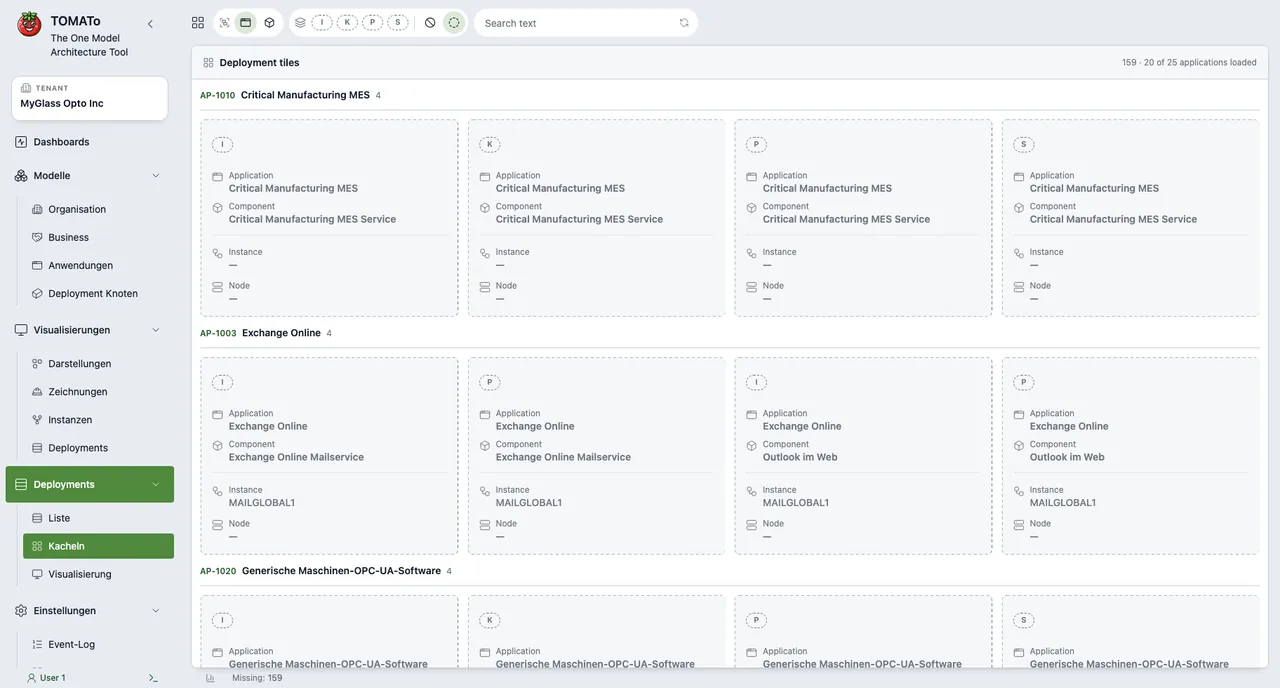
  • I1Assign instances to the components of an application model.
  • I2Use stages and location classifications from tenant configuration.
  • I3Connect instances and deployment nodes through explicit assignments.
  • I4Use tables, tiles and saved visualization views for different questions.
  • I5Distinguish missing assignments from unknown runtime status.
Instances and Deployments 路 MyGlass 路 TOMATo
MyGlass Opto Inc 路 Instances and Deployments

OOperational Information

Trace reported runtime status in its architecture and deployment context.

  • O1Receive dynamic operational information from connected sources for component deployments and nodes.
  • O2Track versioned observations as current state and history.
  • O3Distinguish missing, unknown and stale information from reported operational status.
  • O4Connect your own sources through the REST API or DSL; integrated collectors, automatic source discovery and guaranteed real-time polling are not included.

DExport

Bring architecture information into downstream tools and materials.

  • D1Export views as editable PPTX files or copyable text in Structurizr DSL, C4 PlantUML, Mermaid C4, and SVG.
  • D2Provide view summaries with drawing status and relationship overviews.
  • D3Generate drawing bills of material for a structured view of each drawing.

GGovernance and Security

Collaborate with configurable visibility and ownership rules.

  • G1Manage roles, responsibilities, owner groups and visibility transparently.
  • G2Apply public, private and read-only access under the applicable rules.
  • G3Manage users and groups per tenant and review events in the event log.
  • G4Control visibility and write access separately at object level for systems, views and dashboards.
  • G5Relationships and dependent data follow separate or derived access rules.
  • G6Trace changes to views, systems and relationships.
  • G7Provide team and global views for different audiences.
  • G8Support shared model work through views, favorites and ownership.

AIntegrations and Automation

Connect modeling and administration workflows with your own tools.

  • A1Run modeling and administration workflows through TOM CLI and DSL scripts.
  • A2Connect custom integrations through the documented REST API.
  • A3Submit operational observations from your own sources through the REST API or DSL.

HHosting and Access

Run TOMATo as a container on your own infrastructure.

  • H1Deploy a self-hosted container and integrate it into your operational environment.
  • H2Free and Pro include one tenant each; Enterprise is intended for unlimited tenants.
  • H3Single sign-on (SSO) is planned as an Enterprise feature; plan-based enablement has not yet been implemented.